Logging Time
Time tracking stays next to the work it describes. Log time on a work item with the built-in timer, or enter a duration later.
When to log time
Log time when you want a record of effort against a specific piece of work. Common reasons:
- Customer billing.
- Internal cost tracking.
- Support and maintenance reporting.
- Understanding team capacity.
- Improving future estimates.
Timer vs manual entry
There are two ways to log time:
- Timer: Start a timer from any work item. A floating timer stays visible while you work. Stop it to log the entry. You can run only one timer at a time. Stop a running timer before you start another.
- Manual entry: Enter a duration later. Windshift accepts
2h,30m,2h30m,2.5h, and1d. You do not need to convert durations to minutes.
Both methods create the same worklog. You can edit or delete it later.
Customers, projects, and worklogs
Time tracking has three layers:
- Customer: Who the work is for. A customer can be an external client or internal department.
- Project: Work for that customer, such as an engagement, contract, or internal initiative. You can group projects into categories.
- Worklog: One time entry. Each worklog records a duration, date, optional note, project, and, when possible, work item.
If your team bills customers, align customers and projects with your invoice structure. Exports then fit your billing workflow.
Linking time to work items
Link a worklog to its work item whenever possible. This connects effort to the task, bug, request, or feature. It also lets you answer "Where did this iteration's time go?" from the work item view.
What to include in a note
A worklog should still make sense in six months. Include enough context to show what you did.
Examples:
- Investigated OAuth callback failure
- Updated onboarding copy and reviewed with marketing
- Reviewed test plan for release candidate
- Fixed failing import validation
Reporting and export
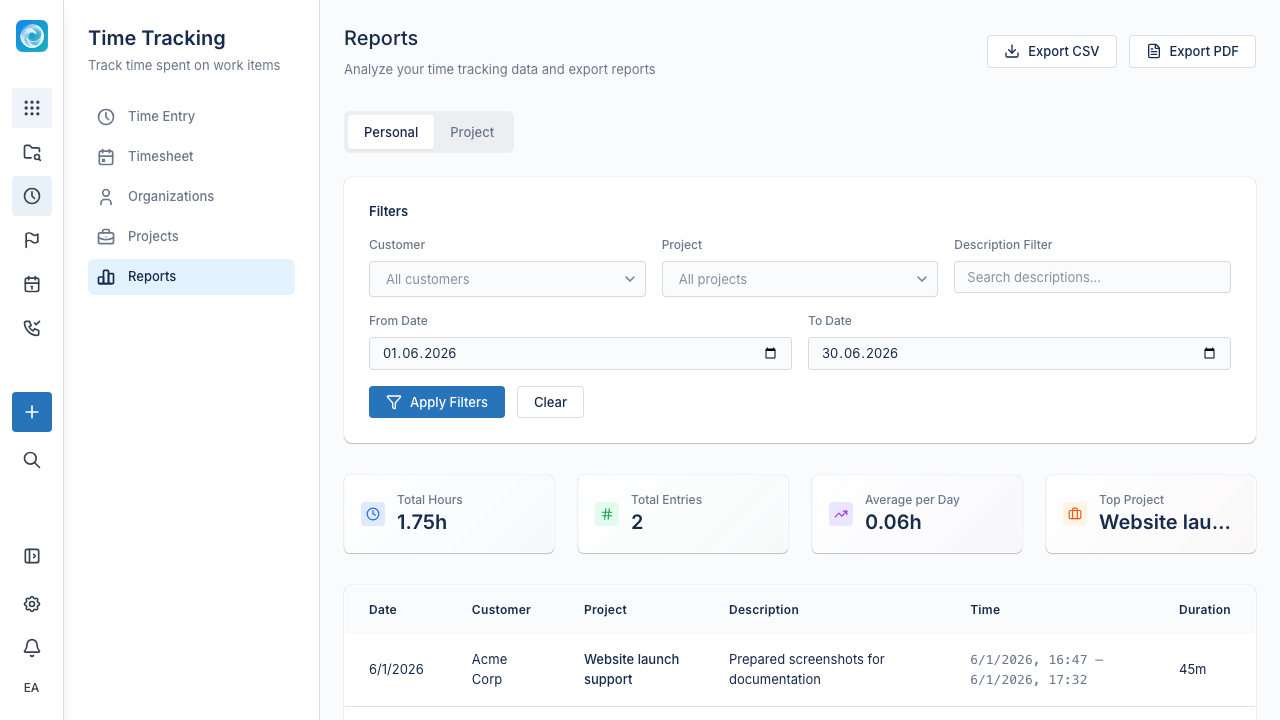
Filter and report worklogs by user, project, customer, and date range. Export reports to CSV for invoicing or a finance system. Export calendars as ICS for external calendar apps.
Practical habits
- Log time soon after the work. Memory fades quickly.
- Use notes for ambiguous or investigative work, even when the duration is short.
- Link time to work items whenever possible.
- Review time by project or customer when you plan the next iteration.
- Do not use time tracking instead of clear priorities.