Test Management
Windshift includes test management. Test cases, sets, runs, and results stay in the workspace with the work they validate. You do not need a separate tool, login, or integration.
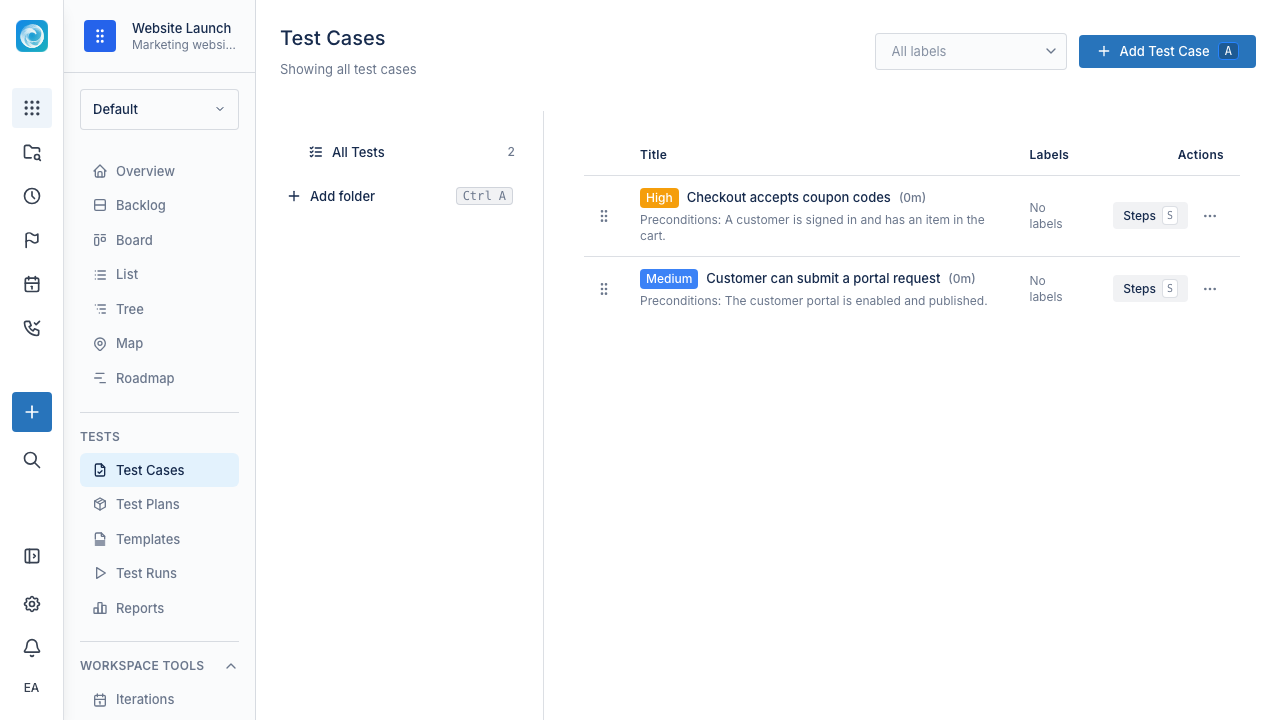
Test cases
A test case describes what to check. A useful test case has:
- A goal.
- Preconditions.
- Steps with expected results.
- An overall expected outcome.
- Optional labels and attachments.
Test cases live in hierarchical folders. You can use labels to group cases across folders. You can also clone a case to start a new one.
Keep test cases focused. Make them specific enough to repeat, but not so detailed that small product changes make them obsolete.
Test sets
A test set groups test cases that run together. Examples include:
- Smoke tests.
- Regression tests.
- Release candidate checklists.
- Customer onboarding checks.
- Payment flow checks.
Test sets are reusable. Run the same set for each release without rebuilding it.
Test runs
A test run executes a set of cases on a build, environment, or release. During a run, you:
- Perform each case.
- Mark each result as Pass, Fail, Blocked, or Skipped.
- Add notes and attachments to a result.
- Create a defect work item from a failing step.
You can create reusable test run templates. The next release can then start from the same configuration.
Link failures to work items
When a test fails, create or link a work item from the failed step. The defect appears in the same backlog and board as delivery work. Quality work does not get lost in a separate tool.
Traceability
Link test cases to work items for two-way coverage:
- Open a requirement to see its test cases.
- Open a test run to see its defects.
- Open a release iteration to see what still needs verification.
Why keep testing with work management
Tests and work share one data model. This lets you answer:
- Which requirements have coverage?
- Which bugs came from this release cycle, and which did tests catch before release?
- What still needs verification before release?
- Which product areas fail repeatedly?
Practical tips
- Keep test cases focused and repeatable.
- Group repeatable checks into a few named sets.
- Link failed steps to work items, even when the fix is small.
- Review recurring failures after each run.
- Update or delete stale test cases as the product changes. Outdated tests reduce trust in the suite.