Customer Portals
Customer portals let external users submit requests, report issues, and follow progress without access to your internal workspace. Portal requests become work items. The internal team uses the same boards, backlogs, and views to triage and deliver them.
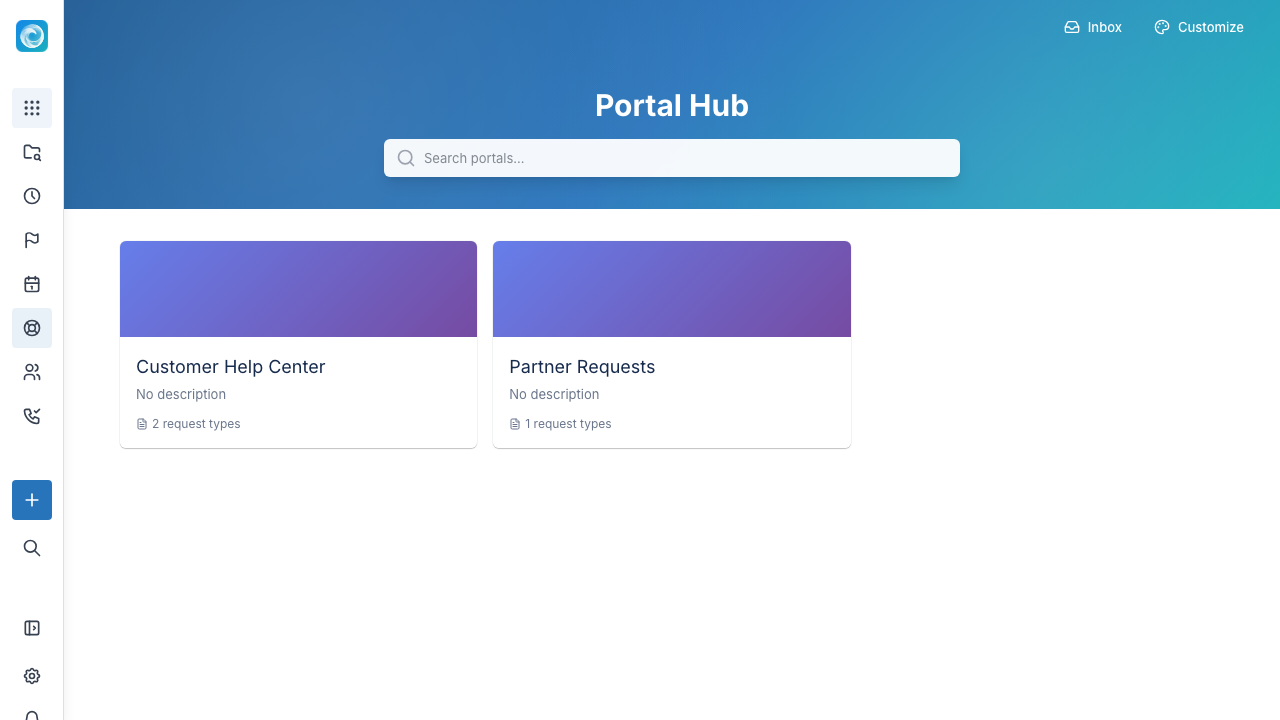
What portals are for
Use portals for:
- Support requests.
- Bug reports.
- Feature requests.
- Customer onboarding tasks.
- Internal service desks, such as HR, IT, and facilities.
- Approval or intake workflows.
Portal hub
The portal hub is the landing page for signed-in customers. Each portal has its own name, branding, request types, and access rules. Different customer groups can see different portals.
Request types
A request type is the form a customer completes. Examples include "Report a bug", "Request access", "Ask a question", and "Submit a change request". Each type has its own form, destination workspace, and default fields.
Write request types from the customer perspective. Avoid internal team language unless only internal users use the portal.
Good portal forms
A good form asks for enough information to act without discouraging customers from using it.
Start with:
- A short summary.
- A description.
- Contact or account details when sign-in does not supply them.
- Priority or impact, when relevant.
- Attachments, when useful.
Ask follow-up questions in the portal thread after the customer opens the request.
Customer organisations and contacts
You can group customers into customer organizations. Contacts in an organization can have roles, such as primary contact, billing contact, and technical lead. These roles show the internal team who to contact. Organizations and roles can also control which portals a customer sees.
Customer sign-in
Portal customer accounts are separate from internal user accounts. Customers sign in to submit a request and follow it to resolution. They cannot access the internal workspace.
Working with portal requests
After submission, a portal request becomes a tracked work item. The internal team can triage, assign, comment on, and move it through any workflow. Comments have two streams:
- Public: Visible to the customer in the portal.
- Internal: Visible only to the team.
The team can discuss the work while keeping the customer up to date.
Practical tips
- Use clear, customer-facing names for request types.
- Avoid internal jargon in form labels and instructions.
- Set expectations about response times directly in the portal.
- Keep customers updated when status changes, even if there is no action yet.
- Keep internal notes and customer-facing communication clearly separated. Mistaking one for the other is the most common portal incident.